 1
1
Place a key
Drag a note out of the tray onto the canvas. Aim it. A dotted path shows where the marble will go.

The marble-music videos from TikTok and YouTube, in your pocket, except this time the track is yours. Drag a key onto the canvas, tap Play, and the marble plays the tune as it falls.


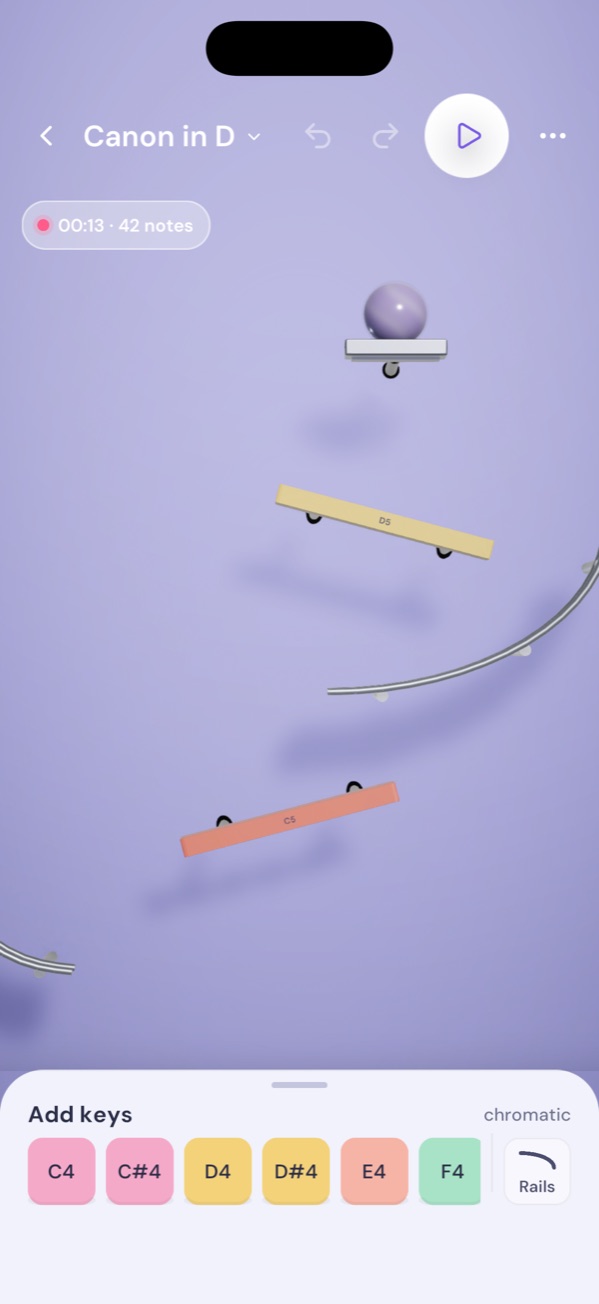
No sign-in and no tutorial deck. One nursery rhyme comes built, so the first tap plays something.
1
Drag a note out of the tray onto the canvas. Aim it. A dotted path shows where the marble will go.
 2
2
Tap Play. One marble, from the launcher at the top, every time. The run is identical on every phone.
 3
3
Each strike is a note. Put the next key where the marble went. Share a clip when it sings.
The clips on TikTok and YouTube of a marble rolling onto keys are usually built on a computer. Here you place the keys on a phone.
Aim a key, tap Play, export a 1080 by 1920 clip with the audio and post it. No MIDI file, no timeline, no account. The path the marble takes is the score.
Or leave a track running. There is no score and nothing to fail. Wood, glass, metal and glow stay in tune if you leave the scale lock on, so it works as a relaxing marble music game as much as a workshop.
Keys come in wood, glass, metal and glow: marimba, glass, glockenspiel, kalimba. Rails carry the marble sideways. Thirteen looks, from candy pastels to a midnight studio.
Free to play, five keys a track. One $3.99 unlock removes the limit for good; local pricing is set by the store.
iPhone and iPad on iOS 16 or later. Android 9 or later.